FORMAT SUPPORT
Supported formats and capability boundaries
ImgConvert offers AVIF, WebP, JPEG, and PNG as output choices. HEIC/HEIF is a system-capability, read-only import rather than an output format.
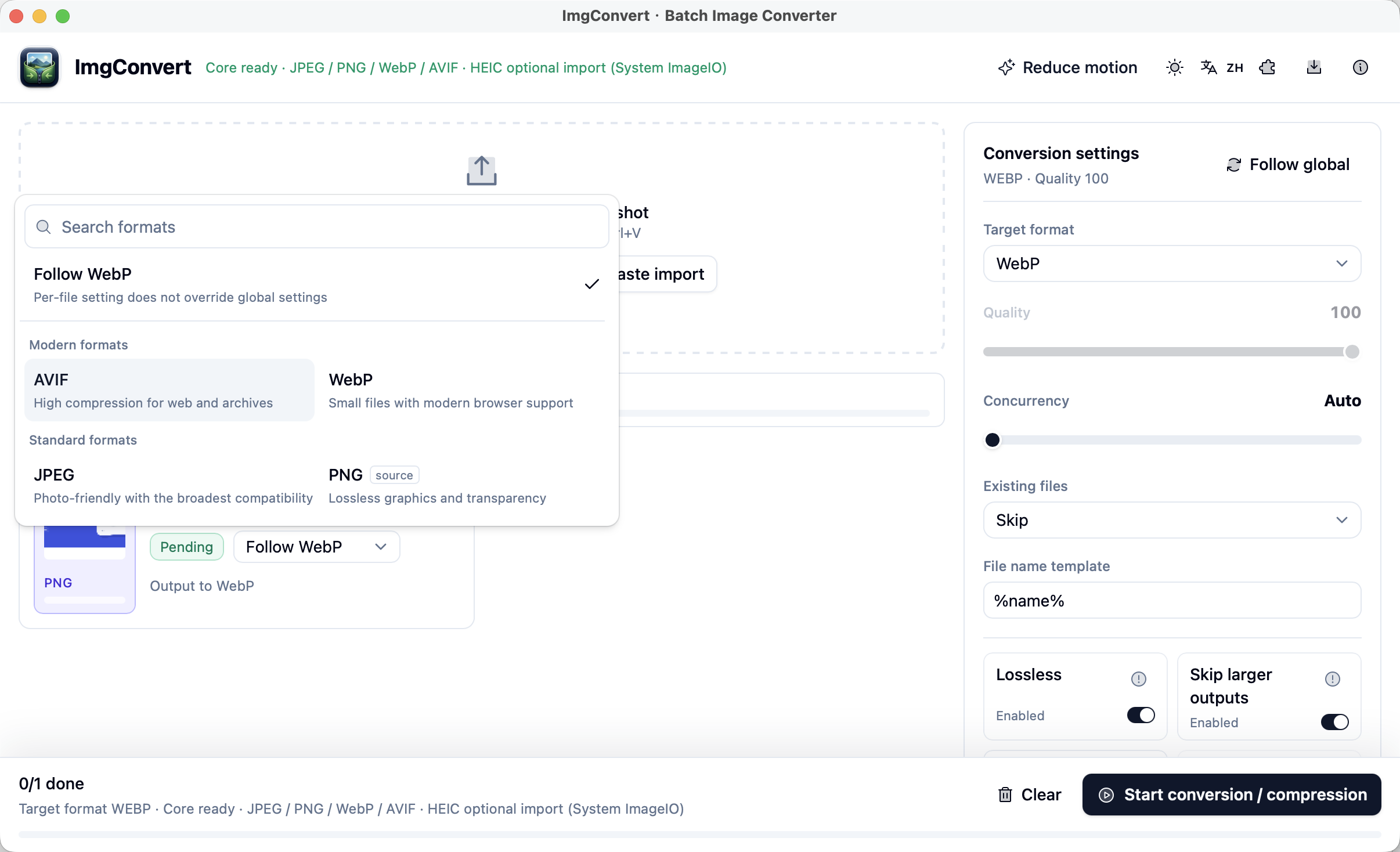
Key points
- AVIF, WebP, JPEG, and PNG are the current output choices.
- HEIC/HEIF is platform-capability input only, not an output format.
- An individual image can follow the shared format or override its output when needed.
Output formats: AVIF, WebP, JPEG, and PNG
Choose AVIF, WebP, JPEG, or PNG in output settings. They suit different delivery goals: AVIF and WebP for modern encoding, JPEG for broad compatibility, and PNG as an everyday lossless choice.
A format name is not a result promise. Lossless mode, quality, and metadata preservation are separate settings that can affect the output file.
HEIC/HEIF: read-only import through system capability
ImgConvert does not export HEIC. Supported HEIC/HEIF files can be read as inputs, and availability depends on platform system capability. On Windows, that can depend on installed system extensions or an optional helper.
To turn HEIC into JPG, set JPEG as the output format. On macOS, supported HEIC reading uses local system ImageIO support rather than sending an image to an online converter.
Choose a different format for one image
A batch can use one global output setting. When one item is an exception, choose a different format for that image without splitting the whole task.
The exact options still depend on the current app version and system capability. The format picker is the most direct place to confirm them before processing.
Common questions
Can ImgConvert export HEIC?
No. HEIC/HEIF is a system-capability, read-only import format. Current output choices are AVIF, WebP, JPEG, and PNG.
Can one image use a different format from the global setting?
Yes. An individual image can follow the shared setting or override the output format when needed.
Can every system read HEIC?
No guarantee applies. HEIC reading depends on platform capability; Windows may need a system extension or optional helper.